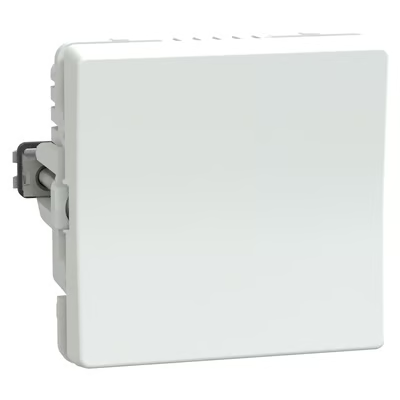
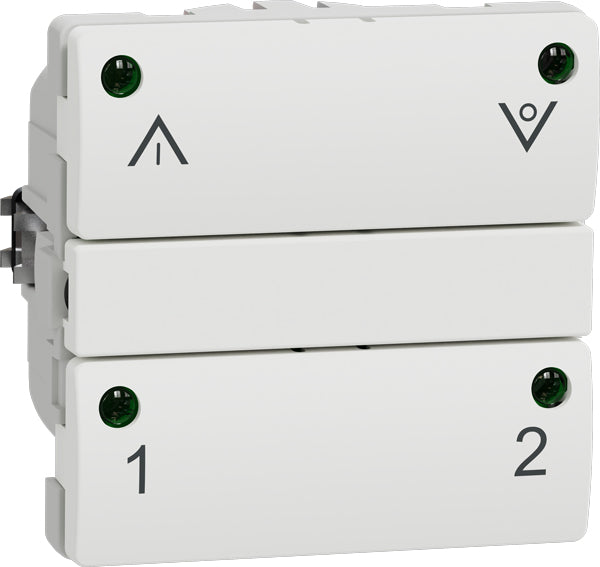
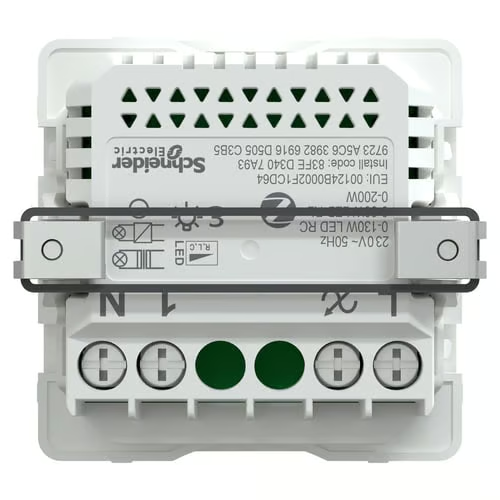
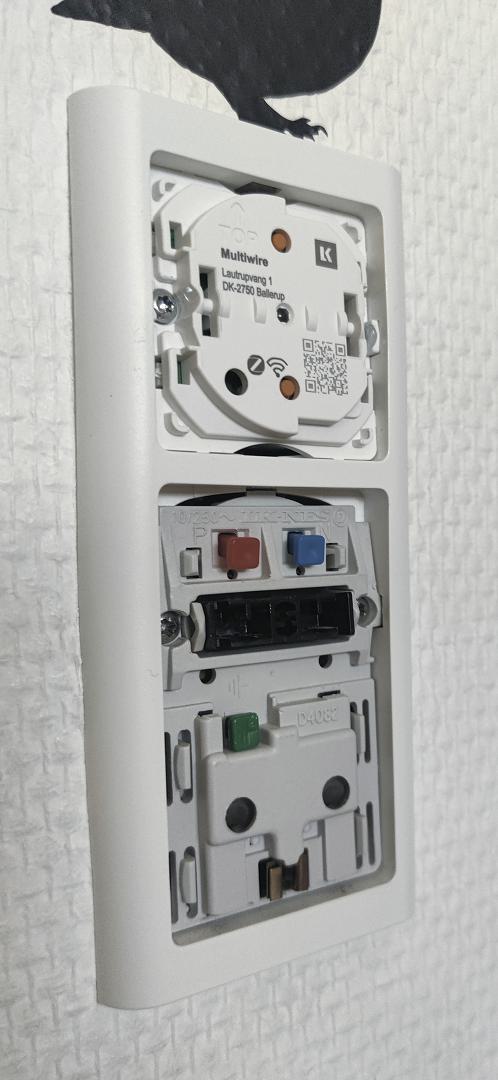
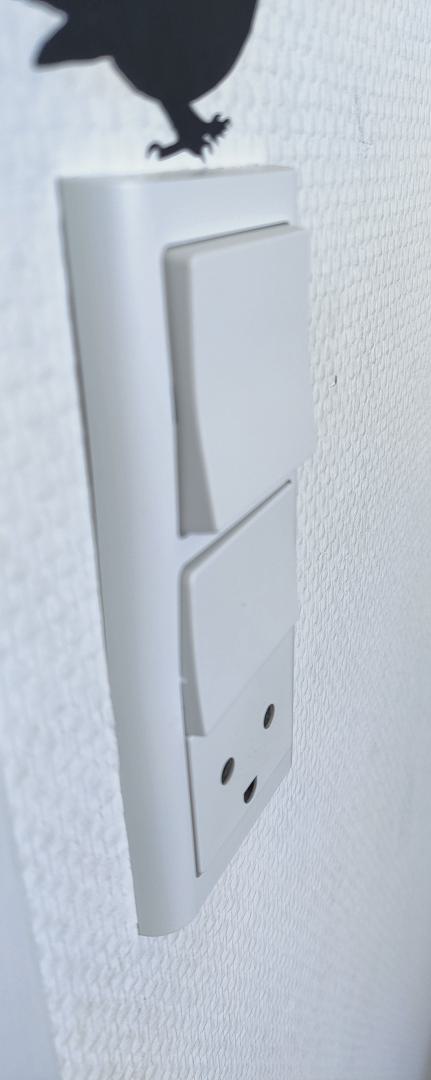
Schneider Electric/Lauritz Knudsen recently introduced a new dimmer, 545 D 6104:
which unfortunately replaces, rather than complements, the 545 D 6102:
After installing a new lamp, I wanted to add a dimmer for controlling a Philips Master DimTone bulb. I already have quite a few of the IHC-style dimmers/relays, but since the dimmer is already out of stock or insanely expensive, I decided to accept the new reality and give the new dimmer a shot.
I had some reservations, because I already knew that the new dimmer is less advanced than the old one: It has only two buttons, whereas the old one had four. Additionally, the old one one also had four LED’s.
Installation
After receiving it, I was pretty eager to get it installed. Before that, however, I gave it a quick test to pair it and see how compatible it would be with my bulb when paired with Philips Hue (rather than deCONZ), particularly whether I would need to set a minimum dimming level, which is not possible with Hue.
Luckily, the DimTone bulb played along very nicely, with 1% dimming being almost off and no flickering at all. Controlling if from Philips Hue is very much compatible with the old dimmer, i.e., it’s still not possible to turn it off.
I went on to install it between a 545 D 6102 and an electrical outlet. This proved to be very difficult and frustrating, so let’s look at why:
First of all, it’s very big. According to the datasheet, it’s 41 mm deep. I wasn’t able to find directly comparable specifications for the 6102, but it’s clearly not as deep or massive.
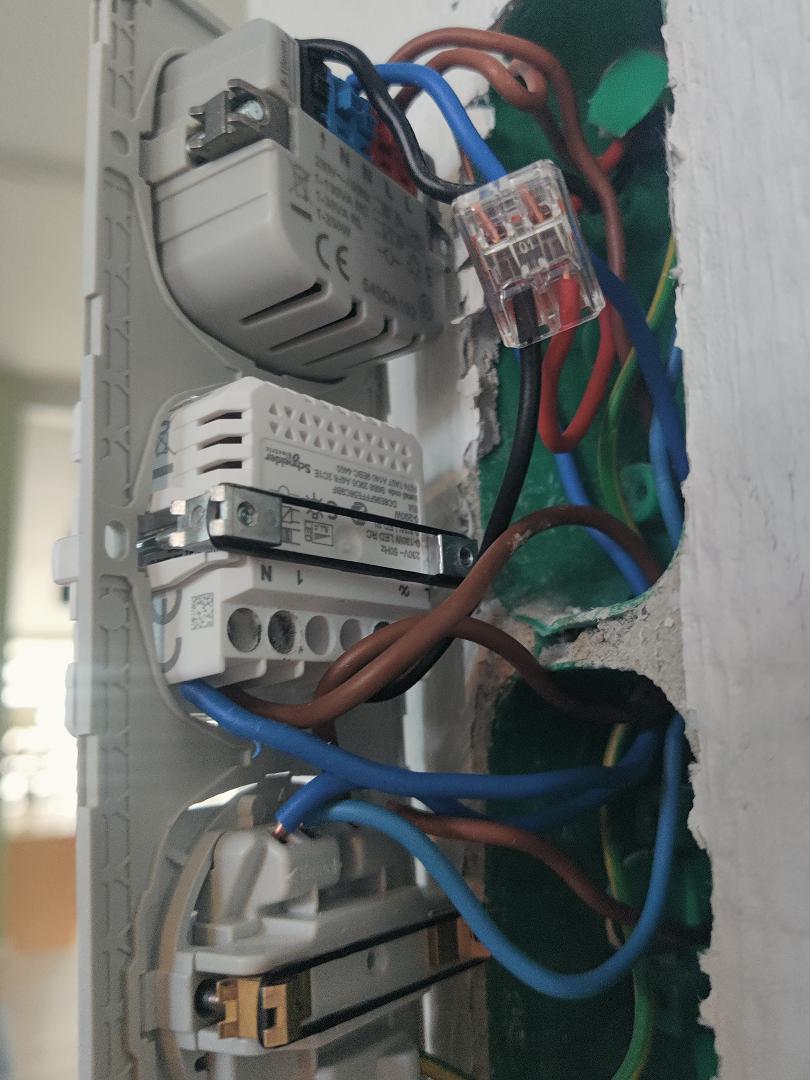
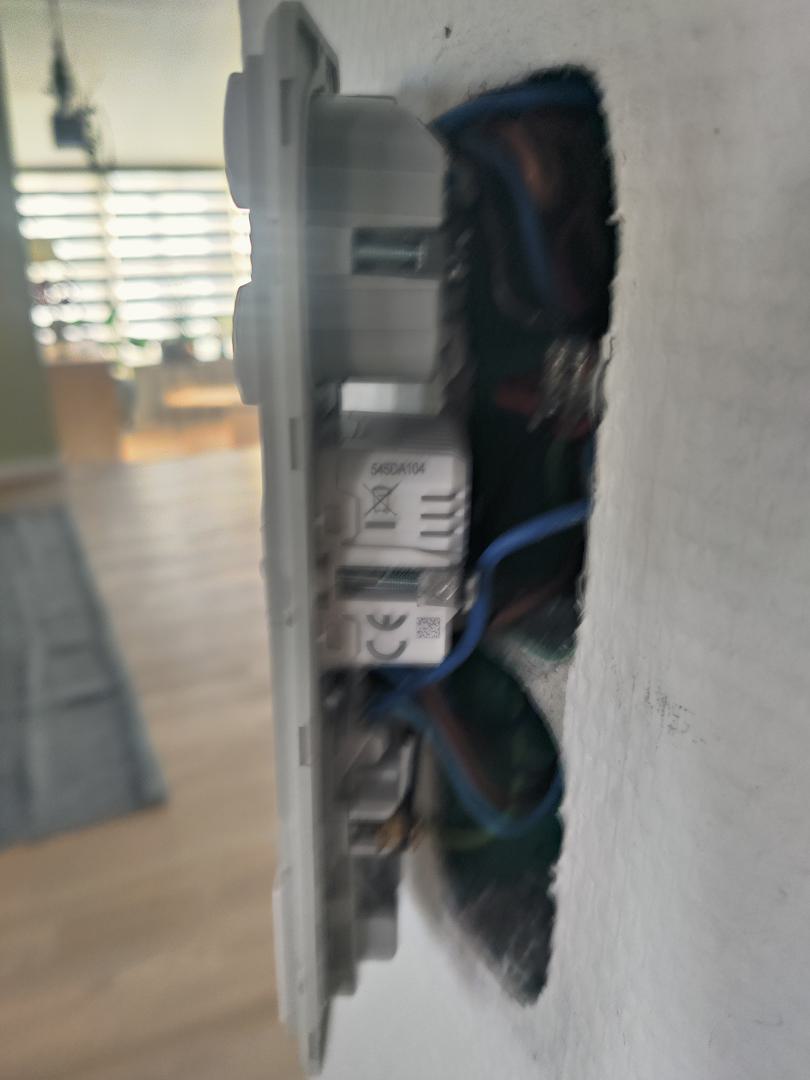
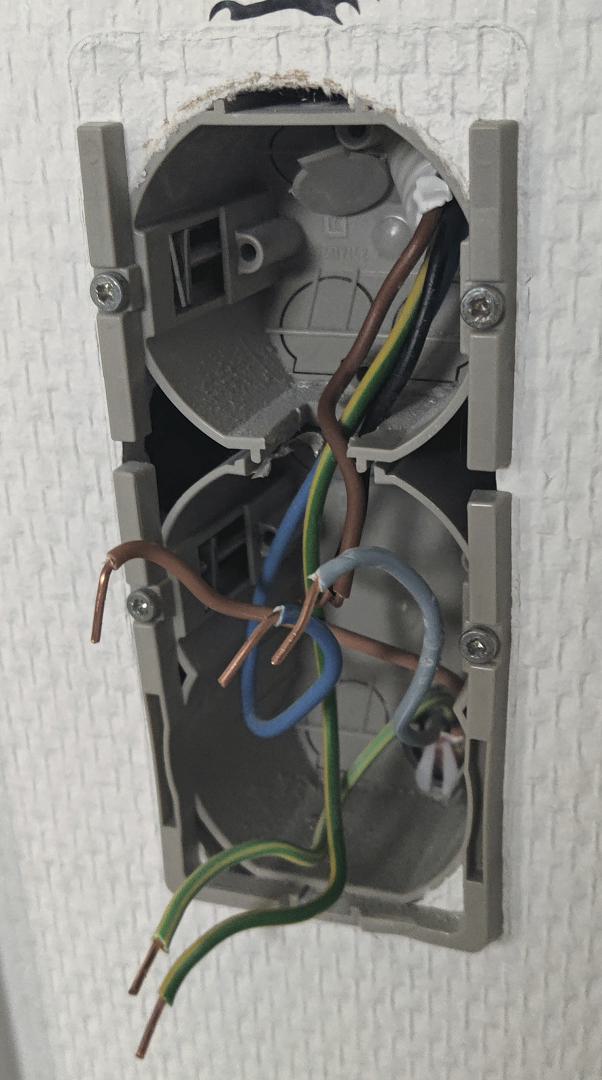
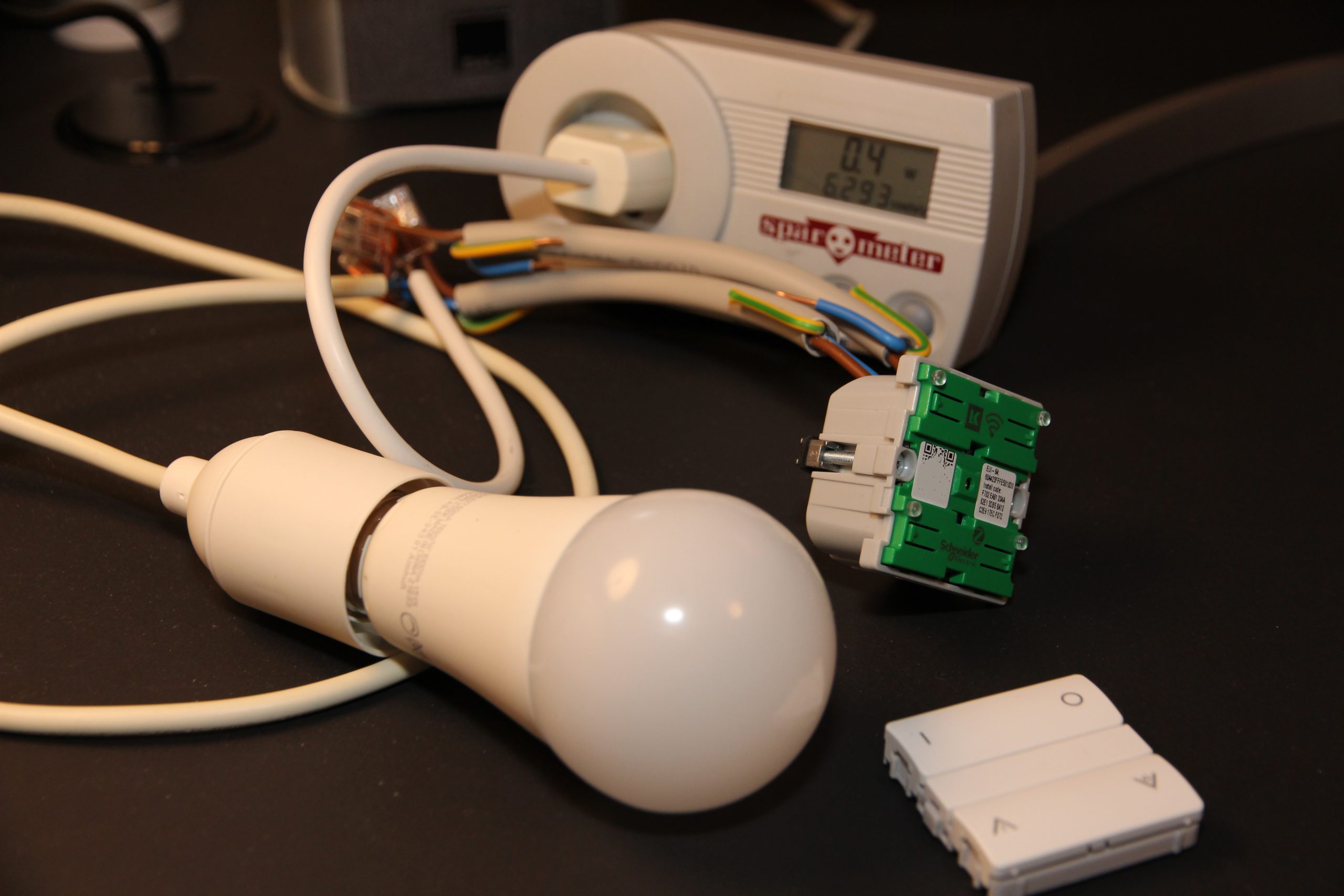
Another problem is the wiring terminals are at the bottom. This is particularly annoying when the wires are coming from the top of the wall box and the dimmer is installed in the bottom position. This combination made it impossible for me to install as bottom module in an old 2.0-module wall box. It simply doesn’t fit, and when trying (hard), I also had to extend one of the wires with a WAGO connector (at the top is the old 6102, and below it the new 6104):
Another major step backward, in my opinion, is the use of screw terminals. They require longer wires than actually necessary in order to position the module where there is enough space for a screwdriver. Also, when loop-through wiring is needed, you have to fit two solid-core wires into the same terminal.
This is much harder to work with than the superior push-in terminals where each wire has its own terminal and where wires can easily be pushed in while all modules are still close to the wall.
Ultimately, I had to abandon the project in the pictures above and find another purpose for the dimmer. I finally managed to install it in an old 1.0-module drywall box, but it required a lot of rewiring and an extreme amount of pressure to fully get it into position because of its sheer size, especially at the bottom.
And, to be honest, I didn’t actually manage to get it fully into position. I tried, but it was impossible:
Not much bottom spaceAlmost thereSlightly skewed
Functionality
After finally getting it installed, I gave it a few more tests.
One function I didn’t expect is a red LED right in the middle behind the switch cover. When dimmed, this LED turns on. I noticed it when the room was dark and the dimmer was set to to 1%, leaving barely any light in the room.
It feels a bit awkward having a red LED behind a white switch cover, and its functionality is hardcoded, but nevertheless, it’s there – noticed and now mentioned.
Dimming itself works nicely, but it’s a bit too fast when holding down the switch, making it practially impossible to hit 1% or even 5% manually. That has to be done through software.
And unlike the 6102, it doesn’t have any memory function or physical switches for saving favorite dimming levels.
Power consumption
I measured the power consumption with a Spar-O-Meter over 14 hours and 7 minutes before moving on with the installation. During that period, it consumed 0.003 kWh, which corresponds to a standby power consumption of approximately 0.3 W.
That’s slightly better than the 6102, which consumed 0.009 kWh over 24 hours, i.e. approximately 0.4 W in standby.
Conclusion
Overall, I’m quite disappointed with this product. I don’t think it lives up to LK’s own high historical standards.
It’s “cheap” (~ 500 kr.) compared to the older 6102, but it certainly also feels cheap.
Lauritz Knudsen by Schneider Electric just released a range of new ZigBee-based products for the Danish market, and today I got my hands on the LK Fuga Wiser Wireless Dimmer:
LK Fuga Wiser Wireless Dimmer as shown everywhere.
This dimmer is ZigBee-certified and should work with any ZigBee-gateway (like Philips Hue or IKEA Trådfri) as well as their own Wiser Gateway, which was also introduced in Denmark this week. And which, by the way, seems to be replaced soon by this Wiser Basic Hub.
My expectation is that this dimmer should identify itself as a dimmable light and work the same way as a Sunricher dimmer or any Philips Hue, IKEA Trådfri, Osram Smart+ or other dimmable ZigBee bulb. In other words, I would not expect any problems adding this dimmer to my Philips Hue bridge. So let’s see if my expectations will be fulfilled…
Experimental set-up
Pairing the device with Philips Hue bridge was painless. After three fast clicks on upper left button, it was found by the bridge as a dimmable bulb. Perfect. Now tried to control the connected LED bulb through the Philips Hue app and experienced some weird behavior: Light cannot be switched off! It can be switched on and dimmed up and down without much delay, but it can’t be switched off. When using the buttons on the dimmer to control the light, there is some delay until reflected in Philips Hue, but this is somewhat expected. Within a minute it will be there.
Compatibility/integration
Now decided to investigate this switching off issue a bit more, so added the dimmer to openHAB through the Hue API to monitor exact values with timestamps etc. and try to control it with specific values. It turns out that using openHAB I was able to switch it off by simply setting brightness to 0 like any dimmable light.
So without openHAB, I thought, will I be able to somehow switch it off from within Hue itself? I configured one of my Friends of Hue switches to control the dimmer, and without any problems was able to turn it on as well as off.
Last, I tried configuring a Philips Hue motion sensor for controlling the room where I added the dimmer. This doesn’t work either. Just before it’s about to switch it off, Hue dims a tiny bit as a warning. This part works, but it stays like that and doesn’t switch off.
So it seems that the problem is a very specific compatibility issue with the Philips Hue app and accessories – perhaps some slight difference in the way it turns off lights and dims to 0%. I have ruled out my bridge/configuration since the same problem has been reported by others. LK Dimmer FW version: 001.002.021.R.
Digging deeper
In openHAB the dimmer is represented by a single item, Brightness. However, this kind of item can be used as a dimmer/slider as well as a switch. So in a sitemap I tried to create both types to be able to compare the difference, since dimming to 0% actually works. Here is the result:
Switch it on:
2021-03-07 15:37:26.109 [INFO ] [openhab.event.ItemCommandEvent ] – Item ‘Wiser_Brightness’ received command ON 2021-03-07 15:37:26.129 [INFO ] [penhab.event.ItemStatePredictedEvent] – Item ‘Wiser_Brightness’ predicted to become ON 2021-03-07 15:37:26.136 [INFO ] [openhab.event.ItemStateChangedEvent ] – Item ‘Wiser_Brightness’ changed from 0.0 to 100
Swith it off – this didn’t work:
2021-03-07 15:37:35.408 [INFO ] [openhab.event.ItemCommandEvent ] – Item ‘Wiser_Brightness’ received command OFF 2021-03-07 15:37:35.427 [INFO ] [penhab.event.ItemStatePredictedEvent] – Item ‘Wiser_Brightness’ predicted to become OFF 2021-03-07 15:37:35.434 [INFO ] [openhab.event.ItemStateChangedEvent ] – Item ‘Wiser_Brightness’ changed from 100 to 0
Dim it to 0%, effectively switching it off (this worked):
2021-03-07 15:37:43.178 [INFO ] [openhab.event.ItemCommandEvent ] – Item ‘Wiser_Brightness’ received command 0.0 2021-03-07 15:37:43.194 [INFO ] [penhab.event.ItemStatePredictedEvent] – Item ‘Wiser_Brightness’ predicted to become 0.0 2021-03-07 15:37:43.217 [INFO ] [openhab.event.ItemStateChangedEvent ] – Item ‘Wiser_Brightness’ changed from 100 to 0.0
Did you notice the difference? When setting brightness to “0”, nothing happened. When setting it to “0.0” it works. This should give some indication of the type of bug/incompatibility. Until Lauritz Knudsen hopefully fixes this issue, this can be used as temporary work-around in openHAB:
rule "Wiser work-around"
when
    Item Wiser_Brightness changed to 0
then
    Wiser_Brightness.sendCommand("0.0")
end
This will detect all attempts to switch off the dimmer, also attempts made by accessories like a motion sensor.
Update, March 16th 2021: Although the description above might give some indication about the problem, it’s still only that – an indication. Today I decided to investigate a little deeper to be able to understand the problem without distraction from openHAB. So I created a Hue Developer account to access the Hue documentation and tested directly using the Hue API. Here’s my new finding – this doesn’t work:
URL: /api/<username>/lights/<id>/state
Method: PUT
Body: {"on":false}
But with this body, it works:
{"on":false, "transitiontime":0}
It seems to work with any transitiontime value. As documented:
The duration of the transition from the light’s current state to the new state. This is given as a multiple of 100ms and defaults to 4 (400ms). For example, setting transitiontime:10 will make the transition last 1 second.
To be very specific: It turns off almost immediately with 0, and in 400 ms with the value 4. This is supposed to be the default value, but without it, it doesn’t work. So the Hue app most likely doesn’t include transition time when using the on/off switch, and the same seems to be the case for openHAB. I believe I found the explanation in the binding source code:
           case CHANNEL_BRIGHTNESS:
                if (command instanceof PercentType) {
                    newState = LightStateConverter.toBrightnessLightState((PercentType) command);
                    newState.setTransitionTime(fadeTime);
                } else if (command instanceof OnOffType) {
                    newState = LightStateConverter.toOnOffLightState((OnOffType) command);
                } else if (command instanceof IncreaseDecreaseType) {
                    newState = convertBrightnessChangeToStateUpdate((IncreaseDecreaseType) command, group);
                    if (newState != null) {
                        newState.setTransitionTime(fadeTime);
                    }
                }
So when brightness is set from a switch (OnOffType), the transitionTime attribute is not set, thus it will not work.
With this knowledge work-arounds are possible, although no generic work-around that would fix all integrations. For example for a Hue motion sensor, transitiontime can be added through the Rules API (this has been tested and works):
Update, November 23rd 2021: I’ve created a workaround in the Hue binding in openHAB: https://github.com/openhab/openhab-addons/pull/11572 – it will be included in release 3.2, but a JAR file is also available, and it can be used with 3.1 installations. With this fix, everything works from openHAB, but of course each integration (including the Philips Hue app) will need to provide own workarounds until the LK Wiser bug is fixed.
Power consumption
No post without some mentioning of power consumption. Measured switched off over 24 hours with SparOmeter it used 0.009 kWh, so just below 0.4 W in average. This is exactly as specified in the manual with 0.4 W as max. power consumption. Sunricher dimmer box in comparison uses 0.015.kWh in 24 hours, i.e. roughly 0.6 W.
Dimming characteristics
This is probably a difficult topic with a lot of compatibility concerns, but it’s important to know how well this dimmer can actually dim. I don’t have the equipment or knowledge to measure this. I used an IKEA 1000 Lumen LED bulb for testing, and it went from ~15 W to 3.4 W when fully dimmed. In comparison, a Sunricher dimmer was able to dim below 1 W. The bulb used in my test can only be dimmed to ~2.6 W, after that it starts flickering and eventually it will turn off. However, to be able to dim this much, the minimum level should be configurable. This does not seem to be the case with this LK Dimmer, at least not by using the buttons (when not using their own Wiser gateway).
For the same bulb the LK Touch LED 180 IR will dim this bulb to 4.0 W, so here Wiser is a slight improvement.
Price
This dimmer is the most expensive dimmer I have ever seen. LK LED Touch is cheap in comparison, so is IHC Wireless in general. I really hope prices will drop sooner than later in order to sell more. I bought one after waiting for a product like this for years, but won’t be buying more until prices will drop. The same goes for the double relay switch. At the time of writing, the cheapest I have been able to find has a price tag of 899,- DKK.
Functionality
Unfortunately, and this is also the reason for the price tag, almost no competition exists. This is only because of the small Danish market for LK Fuga design. Currently, this is the best solution on the market for LK Fuga, if:
You don’t have anywhere to put a Sunricher (or similar) dimmer.
You want to be able to control your light through ZigBee and using a wall switch (without the wall switch taking your light offline).
You want to be able to control your light always, even when your gateway is down or wireless signal is disturbed.
You want to be able to control your light without any concern about batteries running low.
Until switching off bug is fixed: Replace “ZigBee” by “Wiser app”.
Conclusion
I have wanted this product for years. Now that it’s here, I wish it would work better with Philips Hue, and I wish I could use it everywhere in my house. Unfortunately I can’t/won’t because of the price tag. Summary:
Price: Too high.
Software: Too buggy (switching off doesn’t work).
Dimming: Can’t dim as much as some other dimmers on the market, and minimum level can’t be configured.
If LK would fix the problem of not being able to turn off the dimmer without supplying transition time, this would actually be a pretty decent product. Pricey, but decent, and I would instantly install this dimmer in my family room for controlling our PH5 lamps.
This post is not a hardware post, but just a simple way to use a smart plug to replace a conventional smart power strip to avoid unneeded standby power consumption. For my home entertainment system I previously used a conventional smart power strip, but it caused several crashes of my media center, a Raspberry Pi running Kodi. So I decided to replace it with a standard power strip connected to a smart plug, and let openHAB do the magic.
I decided to use a ZigBee smart plug due to low power consumption and since already having a Philips Hue bridge within range. I went with an Innr smart plug, since the Philips Hue smart plug hadn’t been introduced at the time.
As trigger for turning power on or off, I went with my Harmony Hub. This way I can also turn off the network switch, since the Hub is Wi-Fi connected. When any activity is started, requiring any of the powered off devices, I’ll simply turn on the smart plug. When powering off, I need Kodi to shutdown and wait for this. So here are the rules I ended up with:
rule "TV turn on socket"
when
    // This is logically correct, but too slow because it's only fired when
    // activity has completed. It's a fallback solution because of a bug in
    // the binding, see below.
    Item HarmonyHub_CurrentActivity changed from "PowerOff" or
    // These channel triggers are fast, but logic is messy because logic
    // cannot be reversed. The correct solution would be to trigger on an item
    // bound to "Activity Starting Trigger" and use same logic as above:
    // Item HarmonyHub_ActivityStartingTrigger changed from "PowerOff"
    Channel "harmonyhub:hub:HarmonyHub:activityStarting" triggered Watch_tv or
    Channel "harmonyhub:hub:HarmonyHub:activityStarting" triggered Listen_to_music or
    Channel "harmonyhub:hub:HarmonyHub:activityStarting" triggered Watch_a_movie or
    Channel "harmonyhub:hub:HarmonyHub:activityStarting" triggered Kodi or
    Channel "harmonyhub:hub:HarmonyHub:activityStarting" triggered Chromecast
then
    Tv_Socket_Switch.sendCommand(ON)
end

rule "TV turn off socket"
when
    Item HarmonyHub_CurrentActivity changed to "PowerOff"
then
    var num_of_attempts = 20
    var delay_between_attempts = 5000
    var attempt = 0

    var kodi_initial_online_state = NetworkDeviceKodi_Online.state

    // Waiting for Kodi (might be booting up)
    while (NetworkDeviceKodi_Online.state == OFF && attempt < num_of_attempts)
    {
        attempt = attempt + 1
        Thread::sleep(delay_between_attempts)
    }

    if (NetworkDeviceKodi_Online.state == OFF)
    {
        sendPushMessage.apply("Tv turned off", "Kodi is offline. Something wrong?")
    }
    else if (kodi_initial_online_state == OFF)
    {
        // Initial state offline, now online - waiting for services to start"
        Thread::sleep(30000)
    }

    if (HarmonyHub_CurrentActivity.state == "PowerOff")
    {
        // Attempting to shut down Kodi
        sendHttpPostRequest('http://pi3:80/jsonrpc', 'application/json', '{"jsonrpc":"2.0","method":"System.Shutdown","id":1}')
        Thread::sleep(30000)

        // Waited 30 seconds, checking if activity didn't start again
        if (HarmonyHub_CurrentActivity.state == "PowerOff")
        {
            Tv_Socket_Switch.sendCommand(OFF)
        }
        else
        {
            sendPushMessage.apply("Tv turned off", "Tv turned on again after Kodi was shut down - now offline. Trying to restart.")
            Tv_Socket_Switch.sendCommand(OFF)
            Thread::sleep(5000)
            Tv_Socket_Switch.sendCommand(ON)
        }
    }
    else
    {
        // Shutdown/power off aborted, new activity started.
    }
end
I might look over-complicated, but I wanted a defensive approach to make sure everything is done to not trigger data corruption when power is taken from the Kodi Pi without proper shutdown. For example, if the Pi is still booting when TV is turned off, it won’t be able to accept a shutdown command yet, so I’m waiting for it to complete booting. Also, in case the TV is turned on again while the Pi is shutting down, I try to boot it again by turning it off and on again.